You sent the file. It's been three days. You have no idea whether anyone opened it.
Every tool you already use gives you a partial answer at best, and most of them give you a misleading one. Google Drive will show you activity, but only if the viewer has a Google account, only if they're inside your organisation, and never for a link you sent outside it. Email read receipts depend on the recipient agreeing to send one, which almost nobody does. WhatsApp's two blue ticks mean the message was delivered to a device, not that a human looked at the attachment. A PDF, on its own, tells you nothing at all.
This page covers every method, what each one genuinely tracks, and where each onebreaks. If you're sending something that matters like a pitch deck, a contract, a set ofdiligence documents, the gap between "delivered" and "read" is the whole question.
Why This Matters More Than You Think
Knowing when someone opens your document changes how you follow up. According to research, following up within an hour of document engagement increases response rates significantly compared to timed follow-ups sent blind. The signal tells you the document is top-of-mind for the recipient, which is exactly when a follow-up lands well.
The same logic applies for investor pitch decks. Knowing an investor spent 14 minutes on your financial model on a Thursday evening is different information from knowing they opened the deck for 90 seconds on Monday morning. One warrants a follow-up. The other warrants patience.
Method 1: Email Read Receipts
Email read receipts are the most widely known method and the least reliable. They work by embedding a tiny invisible pixel image in the email. When the recipient's email client loads that image, it registers as an open.
The problem: most email clients block remote images by default. Gmail, Outlook, and Apple Mail all load images through proxy servers or not at all, which means the tracking pixel fires when the proxy fetches it, not when the human reads the email. You get false positives, missed opens, and no information at all about what happens after the email is opened.
Read receipts tell you the email was delivered and possibly opened. They tell you nothing about whether your attached document was ever touched.
Method 2: Google Drive Notifications
If you share a document through Google Drive, the Activity Dashboard shows who viewed it and roughly when. According to Google's own documentation, this feature is available on Workspace Business and Enterprise plans. Free accounts get limited activity data.
Drive notifications are useful for internal collaboration and for documents shared within a Google ecosystem. They break down when the recipient doesn't use a Google account, when they view a PDF export rather than the Drive link, or when the document is downloaded rather than viewed online.
You also get no page-level data. You know they opened the file. You don't know which sections they read, how long they spent on each page, or whether they downloaded a copy to share with someone else.
Method 3: PDF Tracking via Embedded Pixel
Some tools attempt to embed tracking pixels directly inside a PDF file. When the PDF is opened and images are loaded, the pixel fires and registers the open. This approach has the same fundamental weakness as email pixels: PDF viewers often block remote content by default, so the pixel never loads.
Adobe Acrobat Reader, Preview on Mac, and most mobile PDF apps block remote image loading unless the user explicitly allows it. In practice, embedded PDF pixels work inconsistently and can't be depended on for accurate open detection.
Method 4: Link-Based Document Tracking (The Reliable Method)
Link-based tracking replaces the attachment with a unique link to a hosted version of the document. Instead of sending a PDF, you send a link. When the recipient opens the link, you know exactly when, from what device, for how long, and which pages they spent time on.
This is the approach used by Pitchwise. Because the tracking happens server-side when the viewer loads each page, it is not blocked by email clients or PDF viewers. The data is reliable.
What you get with link-based tracking:
- Open notification in real time, with timestamp and location
- Time spent per page or per slide
- Return visits: whether the recipient came back to the document
- Download detection if you have download controls enabled
- Viewer identity if you require email verification before access
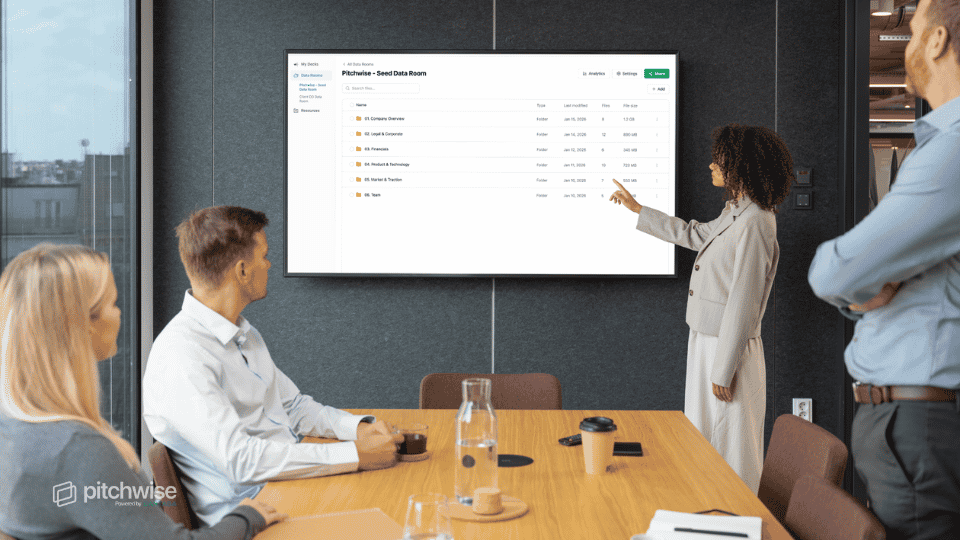
Pitchwise adds a layer specific to investor documents: engagement analytics that track which sections of a pitch deck or data room got the most attention and whether the recipient forwarded the link to a colleague. When a second viewer opens the same link from a different IP address, you see that as a new session.
Method 5: Messaging App Read Receipts
WhatsApp, iMessage, and Telegram show read receipts for messages, and these do apply to documents shared directly in the chat. WhatsApp's double blue tick confirms the file was delivered and opened. iMessage shows "Read" beneath the message.
This method is reliable when it works, but it has two major limits. First, recipients can disable read receipts in their settings. Second, you get no data about what they did after opening the file: how long they spent on it, whether they downloaded it, or whether they read it at all versus dismissing it.
Method Comparison
| Method |
What It Tells You |
Best For |
| Email read receipt |
Email opened (often blocked) |
Basic email confirmation |
| Google Drive notifications |
File viewed — signed-in users only |
Internal collaboration |
| Embedded PDF pixel |
PDF opened (often blocked) |
Rarely recommended |
| Link-based tracking |
Open time, per-page data, return visits |
Pitch decks, proposals, data rooms |
| Messaging read receipt |
File opened in chat |
Informal document sharing |
How to Interpret What You See
Raw open data is less useful than patterns. Here is how to read what your analytics tell you:
A short open (under 90 seconds for a 15-slide deck) usually means a skim. The recipient got the gist. They may follow up or they may not. This is not a signal to call immediately.
A long open with time concentrated on specific pages is the signal you want. If someone spent 4 minutes on your financial projections, they're doing real analysis. Follow up with something specific to that section.
Return visits within 48 hours almost always mean the recipient shared the document internally. Someone else at the company is now looking at it. This is a strong buying signal for pitch decks and proposals alike.
'Zero opens after 48 hours' may mean the document never reached them, the link broke, or they're deliberately ignoring it. Send a short check-in with a fresh link before assuming the worst.
FAQ: Document Open Tracking
Can I track if someone opened a PDF I sent as an email attachment?
Not reliably. Embedded PDF pixels are blocked by most viewers. The most reliable approach is to convert the attachment to a tracked link using a document analytics platform and resend.
Does Google Drive tell you when someone opens a shared file?
Yes, but only if you have a Google Workspace Business or Enterprise account. Free accounts get limited activity data. Even on paid plans, you get open timestamps without page-level detail.
What is the most accurate way to track document opens?
Link-based tracking through a document analytics platform is the most accurate method. Because tracking happens server-side when each page loads, it is not affected by email client settings or PDF viewer restrictions.
Can I see if someone forwarded my document to someone else?
Yes, if you use link-based tracking. A new session from a different IP address or device on the same link indicates the document was forwarded. Pitchwise shows each viewer session separately, so you can see when a second person at the same company opens a pitch deck after the first meeting.
Is document tracking legal?
Link-based document tracking is legal in most jurisdictions. It is analogous to website analytics: you track usage of content you own. GDPR and similar regulations require that you disclose data collection practices in your privacy policy. Embedding spyware in someone else's document would be a different matter entirely.
Which method should I use for a pitch deck?
Link-based tracking is the only method that gives you reliable data for a pitch deck. Pitchwise was built specifically for this: share a link instead of an attachment, and you'll see exactly which slides the investor spent time on, whether they came back, and whether someone else at the firm opened the same link after the first meeting. That data shapes every follow-up you send.